Sessions and devices
See every computer signed in with the command line and every device used for remote control, and sign out any of them from the API keys page.
On this page
Each computer you sign in with bitsrun login, and each phone or browser you use for remote control, keeps its own access to your account. You can see and remove all of them.
Signed-in command lines
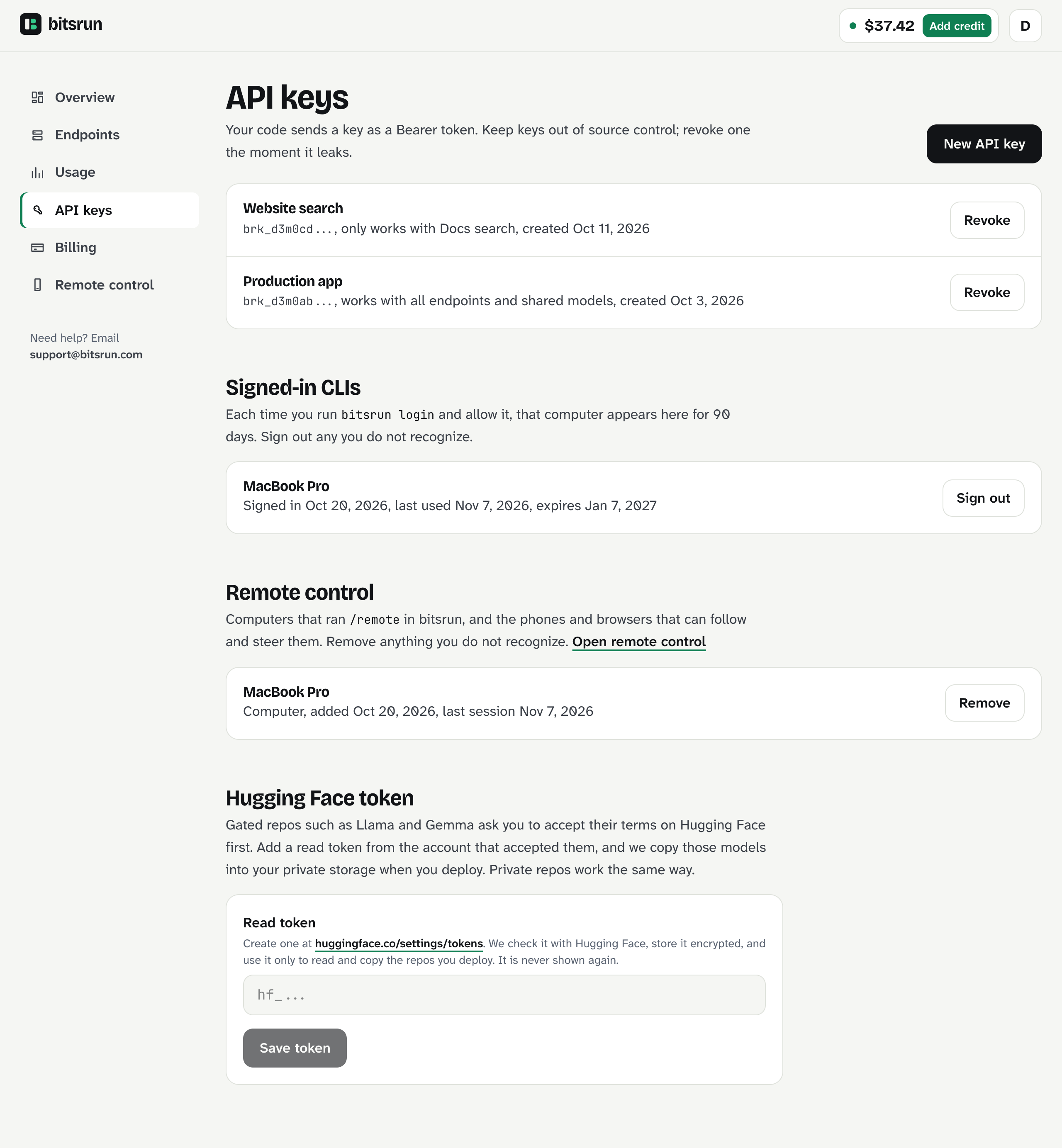
Every time you run bitsrun login and allow it in your browser, that computer appears under Signed-in CLIs on the API keys page, with when it signed in, when it was last used and when it expires.
- A command line session lasts 90 days, then asks you to sign in again.
- You can have up to 20 at once.
- We email you each time a new one signs in.
To sign one out:
- Open API keys in the dashboard.
- Under Signed-in CLIs, select Sign out next to the computer.
Its next command gets "Your session has ended" and needs bitsrun login again. On the computer itself, bitsrun logout does the same. Once the mobile apps are in the app stores, you can also see these sessions there under Account.
Remote control machines and devices
Remote control lets you follow and steer the bitsrun coding agent from a phone or browser. Two kinds of entries appear under Remote control on the API keys page:
- Computers that ran
/remotein bitsrun. - Phones and browsers that can follow and steer them.
Select Remove next to anything you do not recognize. A removed device can no longer join sessions. Read more in Remote control.
Phones with the BitsRun app
The BitsRun apps are coming soon. Once they are out, each phone signed in to the app registers for notifications. Signing out of the app removes it. If you lost a phone, sign out its command line sessions and remote control entries as above, and write to support@bitsrun.com if you need more help.
Web dashboard sessions
The web dashboard keeps you signed in only while its tab is open, and a session ends on its own after a while. Closing the tab signs you out of that browser.
What can go wrong
401 signin_required: your session ended or was signed out. Sign in again.- I see a computer I do not know: select Sign out next to it, then check your email account's security, since sign-in codes go there.
Still stuck?
Email support@bitsrun.com with what you tried and any request id you saw. A real person answers.