Endpoints and the playground
In the app's Endpoints tab you can see every endpoint, change its settings, deploy a new model and chat with it in the playground.
Your endpoints
The Endpoints tab lists every endpoint with its name, model, GPU and state (Asleep, Starting, Ready). Search by name or model at the top.
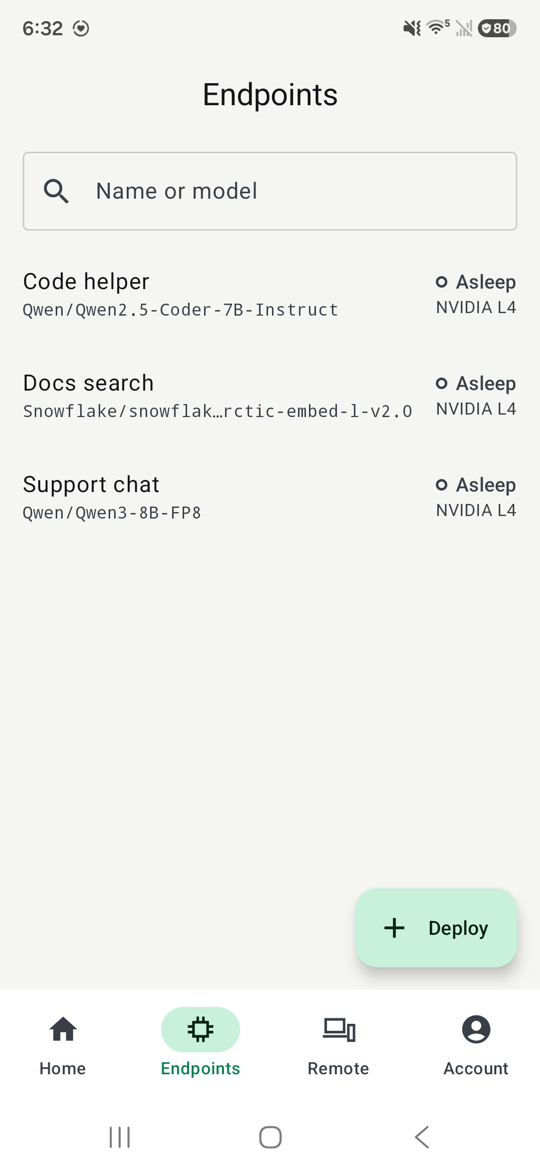
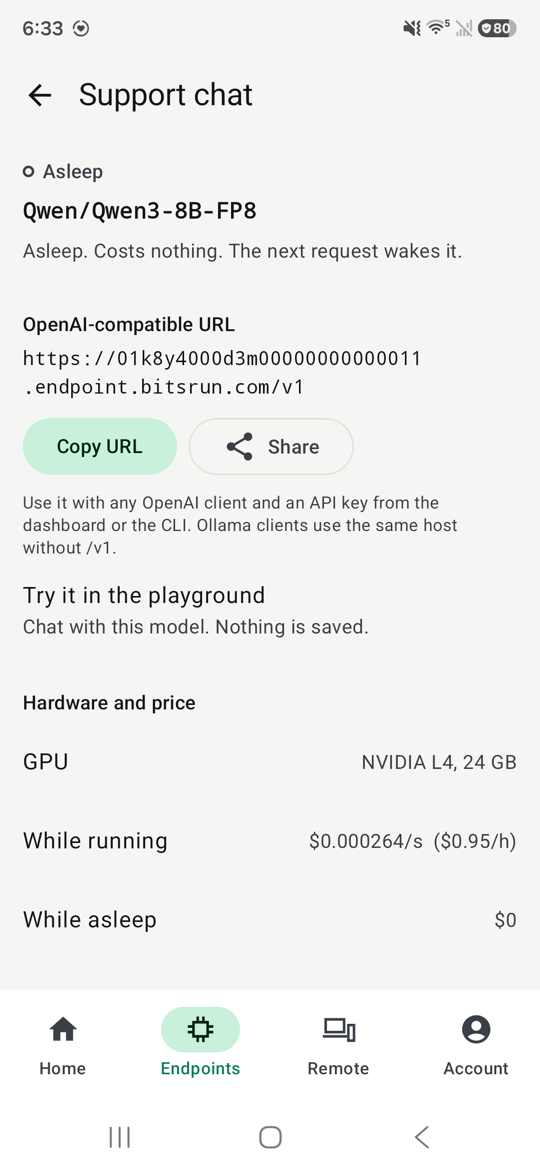
Tap an endpoint to see its details:
- State: for example "Asleep. Costs nothing. The next request wakes it." or "Ready for requests. Billing by the second."
- OpenAI-compatible URL with Copy URL and Share. Use it with any OpenAI client and an API key from the dashboard or the command line. See Use the API.
- Try it in the playground to chat with the model.
- Hardware and price: the GPU, the price while running, and $0 while asleep.
- Settings: name, sleep after, Always on and Priority start, and delete. See Sleep and always-on.
Deploy a model
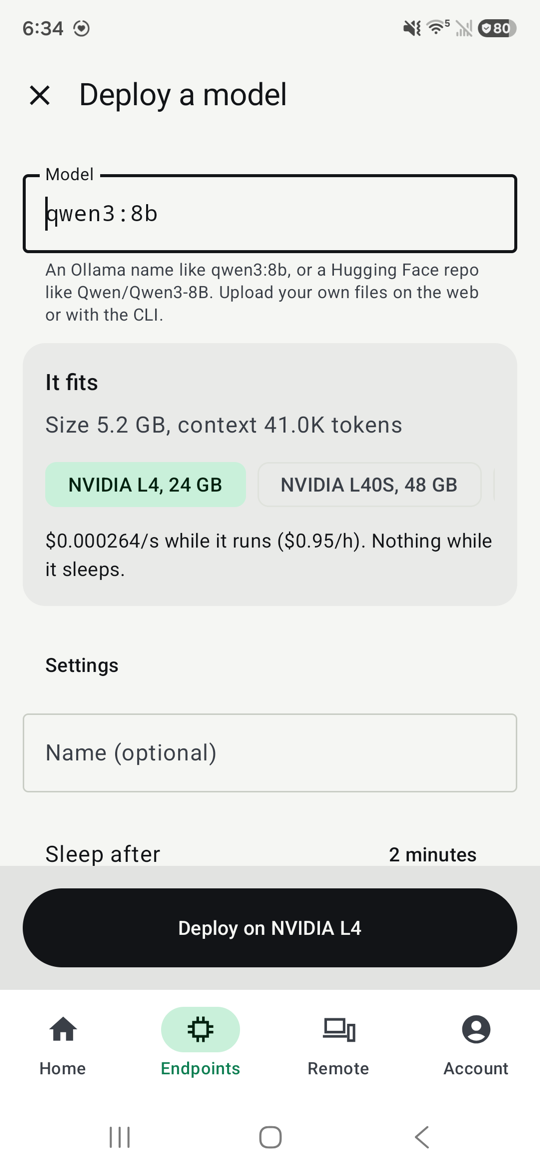
- On the Endpoints tab, tap Deploy.
- Type an Ollama name such as
qwen3:8bor a Hugging Face repo such asQwen/Qwen3-8B, or tap one of the suggestions. - The app checks the model and shows whether it fits, its size, how much context it holds, and the GPU options with their prices.
- Pick a GPU, optionally a name and how long it waits before it sleeps, then tap Deploy on the GPU you chose.
To upload your own model files, use the dashboard or the command line. See Upload your own model.
The playground
The playground is a chat with one of your endpoints, right in the app. Nothing is saved: the conversation lives only on the screen until you clear it or leave.
The app makes a short-lived key for the chat. It works for one hour, only with that endpoint and only on that phone, and is never shown to you. Your own API keys stay untouched.
When the endpoint is asleep
Sending a message to a sleeping endpoint wakes it. You do not have to wait on the screen:
- The app shows "Waking up" with the time so far and about how long it usually takes. Your message is marked "Sends when it is ready".
- Lock the phone or switch apps if you like. The app sends you one notification when the endpoint is ready.
- Your message is sent as soon as the endpoint is ready, and the answer streams in.
Starting a GPU and loading the model are never billed. Billing starts when the endpoint is ready. See Cold starts.
Demo account
App reviewers use a demo account with sample data. On it, deploying, starting a model, the playground, adding credit and deleting the account are turned off, and Home says "Demo account: sample data. Changes are turned off."
Still stuck?
Email support@bitsrun.com with what you tried and any request id you saw. A real person answers.