API keys
Create a key on the API keys page or with bitsrun keys create, copy it once, send it as a Bearer token, and revoke it the moment it leaks.
On this page
An API key is the password your code uses to call your endpoints. Every key starts with brk_. BitsRun shows the full key once, when you create it, and only stores a fingerprint of it, so nobody (including us) can show it to you again.
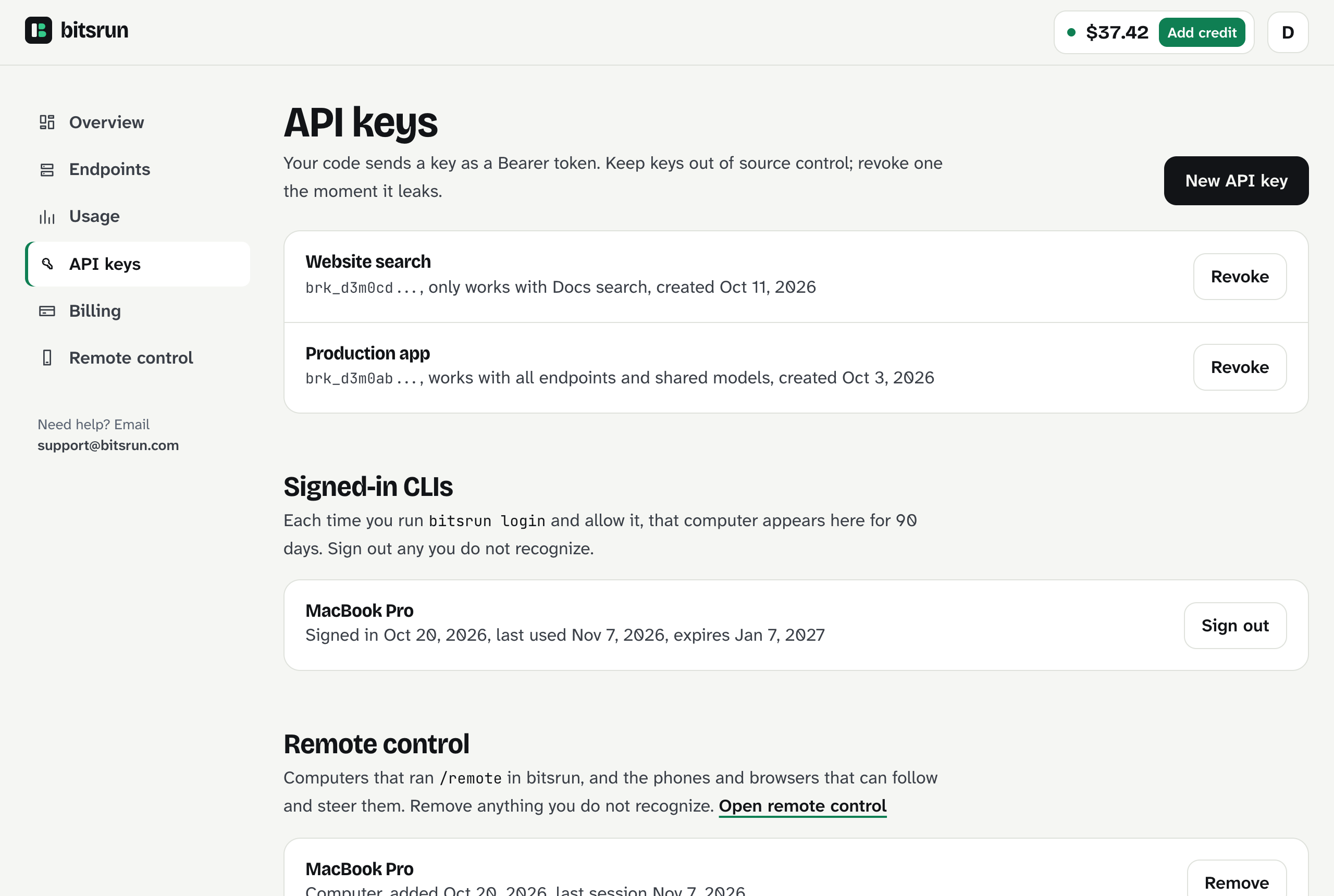
Create a key in the dashboard
- Sign in and open API keys in the sidebar.
- Select New API key.
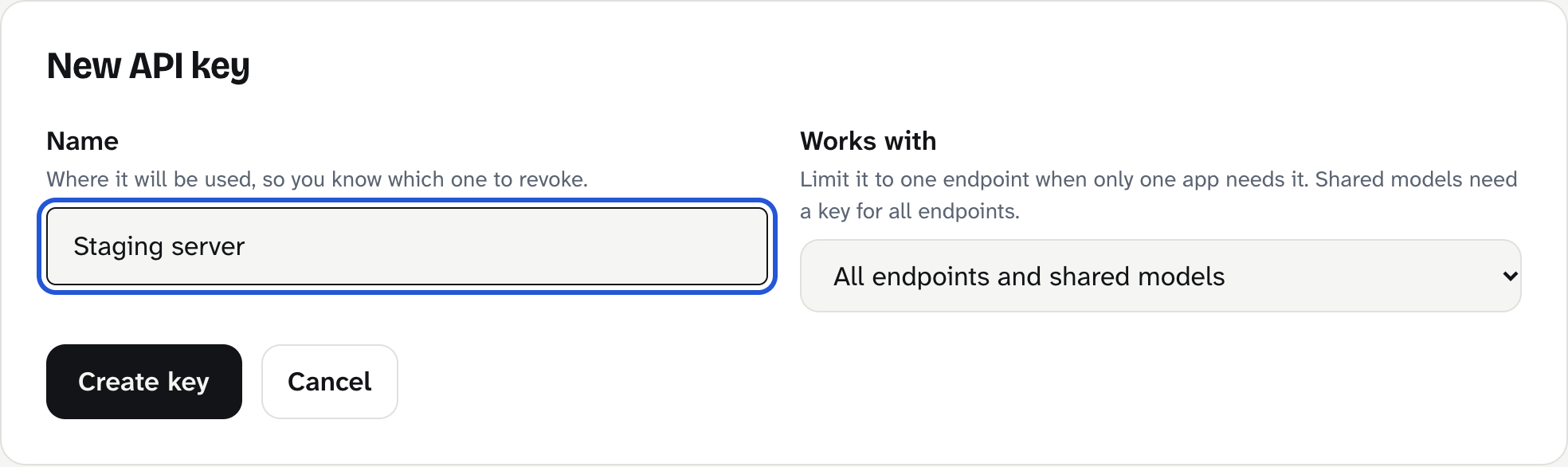
- Under Name, say where the key will be used, for example
Staging server. The name helps you pick the right key to revoke later. - Under Works with, keep the first option to use the key with every endpoint, or pick one endpoint if only one app needs this key.
- Select Create key.
- Copy the key now and store it somewhere safe, such as your password manager or your hosting provider's secrets settings. Then select I saved it.
Create a key in the terminal
bitsrun keys create "Staging server"Limit it to one endpoint with --endpoint and the endpoint's name or id:
bitsrun keys create "Website search" --endpoint "Docs search"You can also create an endpoint and a key for it in one step with bitsrun deploy qwen3:8b --key. List keys with bitsrun keys and see Command line for the rest.
Use the key
Send it in the Authorization header as a Bearer token:
curl https://01k8y4000d3m00000000000011.endpoint.bitsrun.com/v1/models \
  -H "Authorization: Bearer $BITSRUN_API_KEY"
Keep the key in an environment variable instead of your code:
export BITSRUN_API_KEY="brk_..."Limit a key to one endpoint
A key limited to one endpoint works only there. To that key, every other endpoint looks like it does not exist (404). Use one limited key per app: if a key leaks, it reaches only one endpoint, and you revoke it without touching your other apps.
Revoke a key
Revoke a key you no longer use, or the moment you think someone else has it:
- Dashboard: API keys, then Revoke next to the key.
- Terminal:
bitsrun keys revoke "Staging server"(by name or id).
Requests with that key stop working within about 10 seconds and answer 401 unauthorized. A revoked key never comes back; create a new one and update your app.
Rules and limits
- Up to 20 active keys per account.
- Names are 1 to 64 letters, numbers, spaces, dots, dashes or underscores.
- Keys are for calling endpoints. They cannot change your account, deploy models or add credit. The dashboard, the command line and the apps use your sign-in for that.
- The mobile apps never show or create API keys. Their playground uses short-lived keys made for that one phone and endpoint.
Keep keys safe
- Use a separate key for each app and environment (production, staging, your laptop).
- Rotate a key by creating the new one, deploying it to your app, then revoking the old one.
- Watch Usage for traffic you do not recognize. See Usage and costs.
What can go wrong
401 unauthorized: the key is missing, mistyped, revoked, or the header is notAuthorization: Bearer brk_.... Copy the key again from where you saved it, or create a new one.404 not_foundwith a key that works elsewhere: the key is limited to another endpoint, or the endpoint was deleted.409 limit_reachedwhen creating a key: you have 20 keys. Revoke one you no longer use.- I lost a key: it cannot be shown again. Create a new key and revoke the old one.
Still stuck?
Email support@bitsrun.com with what you tried and any request id you saw. A real person answers.