Mobile apps
The BitsRun apps for iPhone and Android show your balance and endpoints, deploy models, chat with them in a playground and follow bitsrun sessions on the go.
On this page
The BitsRun app is a companion for your phone. Check what is running and what it costs, deploy a model, try it in a chat, and keep an eye on bitsrun while you are away from your desk.
Sign in
- Open the app and type the email of your BitsRun account. New here? The same screen creates your account.
- We email you a code. Type it in. There is no password.
- You stay signed in until you sign out. Your sign-in is kept in the phone's secure storage (the iOS Keychain or the Android Keystore).
To sign out, open Account and choose Sign out. Your endpoints keep running.
The four tabs
| Tab | What it shows |
|---|---|
| Home | Balance, spend today and this month, the last 7 days, and which endpoints are awake now |
| Endpoints | Every endpoint with its state and GPU, search, details, the playground and Deploy |
| Remote | Live bitsrun sessions on your computers, to follow and steer |
| Account | Plan, balance, credit history, storage, alerts, notifications, devices, Hugging Face token, and deleting your account |
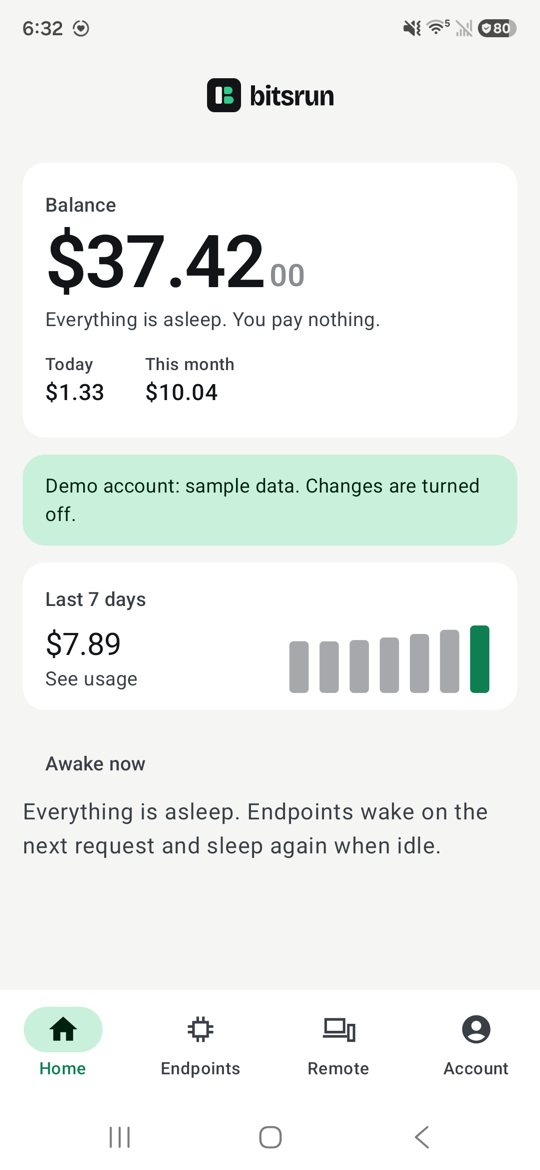
When everything is asleep, Home says "Everything is asleep. You pay nothing." Endpoints wake on the next request and sleep again when idle. See Sleep and always-on.
Account
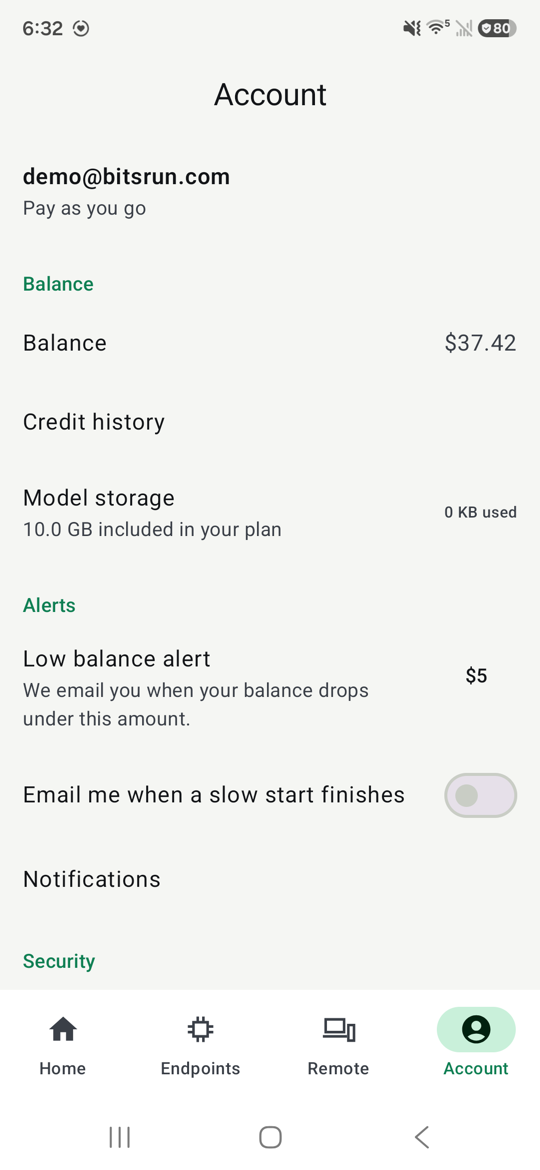
- Balance and credit history: every top-up, bonus and credit, newest first.
- Model storage: how much of your plan's free storage your uploads use. See Model storage.
- Low balance alert: we email you when your balance drops under this amount.
- Email me when a slow start finishes: one email when an endpoint that took more than 2 minutes to start is ready.
- Notifications: choose which pushes you get. See Notifications and widgets.
- Devices and sign-ins: the computers signed in with
bitsrun login(they stay signed in for 90 days) and the devices paired for remote control. Remove anything you do not recognize. - Hugging Face token: needed only to deploy gated or private repos. See Gated and private repos.
- Delete account: see Delete your account.
Adding credit
In the United States, Add credit opens the BitsRun dashboard in your phone's browser, where you pay with Stripe. The app itself never takes payments. In other countries the app shows your balance only; add credit from the dashboard on the web. See Add credit.
What is not in the app
API keys are created and revoked on the web dashboard and in the command line only, so a lost phone never holds a key. Uploading your own model files also stays on the web and the command line.
Approve a command line sign-in
If you sign in to the command line on a computer without a browser, the app can approve it:
- On the computer, run
bitsrun login --no-browser. It shows a code to scan. - In the app, open Account, then Approve a CLI sign-in, and scan it.
- The app shows "This computer is asking to sign in to your BitsRun account." If you just ran
bitsrun loginyourself, allow it. If not, choose Not me, cancel. - The app shows a code. Type it in your terminal (or use Copy code).
The code works once and expires in 5 minutes. Never share it.
Next steps
Still stuck?
Email support@bitsrun.com with what you tried and any request id you saw. A real person answers.