Performance settings
Performance lets you trade speed, quality and price with three presets, and fine-tune memory length, requests at once and time awake, always showing the cost before you confirm.
On this page
Select Performance on an endpoint card. Nothing changes until you confirm, and every change shows its cost first.
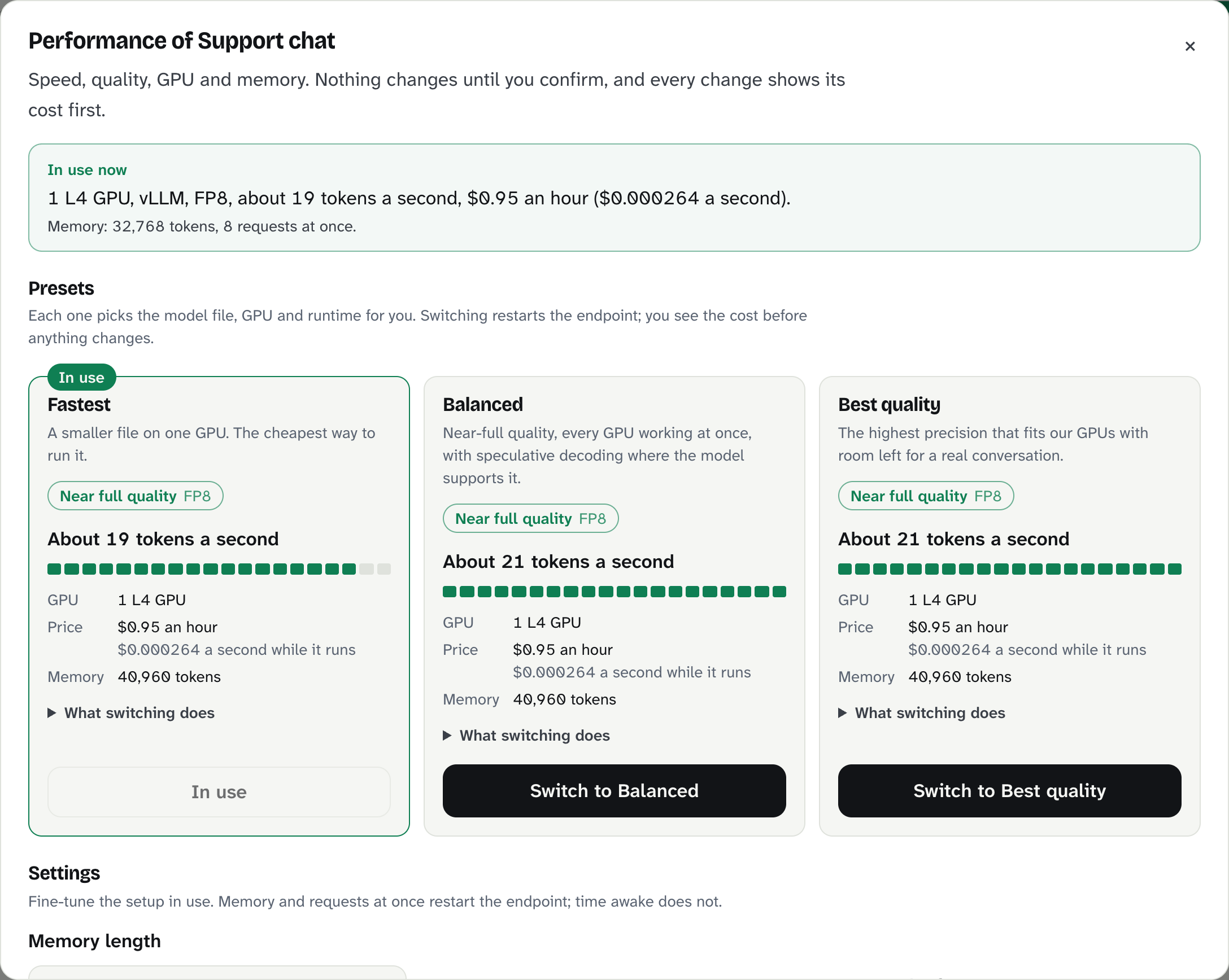
In use now
The top box shows the current setup: GPU, runtime, quality, about how many tokens a second it writes, price, memory length and requests at once.
Presets
Each preset picks the model file, GPU and runtime for you.
- Fastest: a smaller file on one GPU. The cheapest way to run it.
- Balanced: near-full quality, every GPU working at once, with speculative decoding where the model supports it.
- Best quality: the highest precision that fits our GPUs, with room left for a real conversation.
Each shows a quality badge (Full, Near full, Reduced or Low quality), an estimated speed in tokens a second, the GPU, the price and the memory length. Open What switching does for the details. Switching restarts the endpoint.
Speculative decoding: the model guesses a few words ahead and checks them in one step. Same answers, faster, especially for code and edits.
Settings
| Setting | What it does | Restart? |
|---|---|---|
| Memory length | How many tokens the endpoint can read at once (context), from 2,048 up to what the GPU allows for this model. | Yes |
| Requests at once | How many requests it answers in parallel, 1 to 8. More at once leaves less memory for each. | Yes |
| Stays awake for | The Sleep after time. Billed while awake, even with no requests. | No |
Select Review changes, read What happens next, then Apply settings. A running endpoint picks up a restart change on its next start.
Tips
- A chat app with long conversations: raise memory length.
- Many users at the same moment: raise requests at once, or move to a bigger GPU.
- Coding agents: choose Balanced on vLLM models for speculative decoding, and make sure tool calling is on.
What can go wrong
| Message | What to do |
|---|---|
| "Not enough room on this GPU" | Lower memory length or requests at once, or pick a preset with a bigger GPU. |
| "That performance option does not apply to this model." | Pick one of the options shown. |
| "This endpoint changed settings 6 times in the last hour." | Wait a little, then try again. |
| "This request is longer than the endpoint can read at once" | Your request is past the memory length. Raise it here, or shorten the conversation. |
Still stuck?
Email support@bitsrun.com with what you tried and any request id you saw. A real person answers.