Sleep, always-on and priority
Choose how long an endpoint stays awake after the last request, keep it always on to remove cold starts, or turn on priority so cold starts never wait for a spare GPU.
Three settings decide how quickly your endpoint answers and what it costs. Open Settings on the endpoint card.
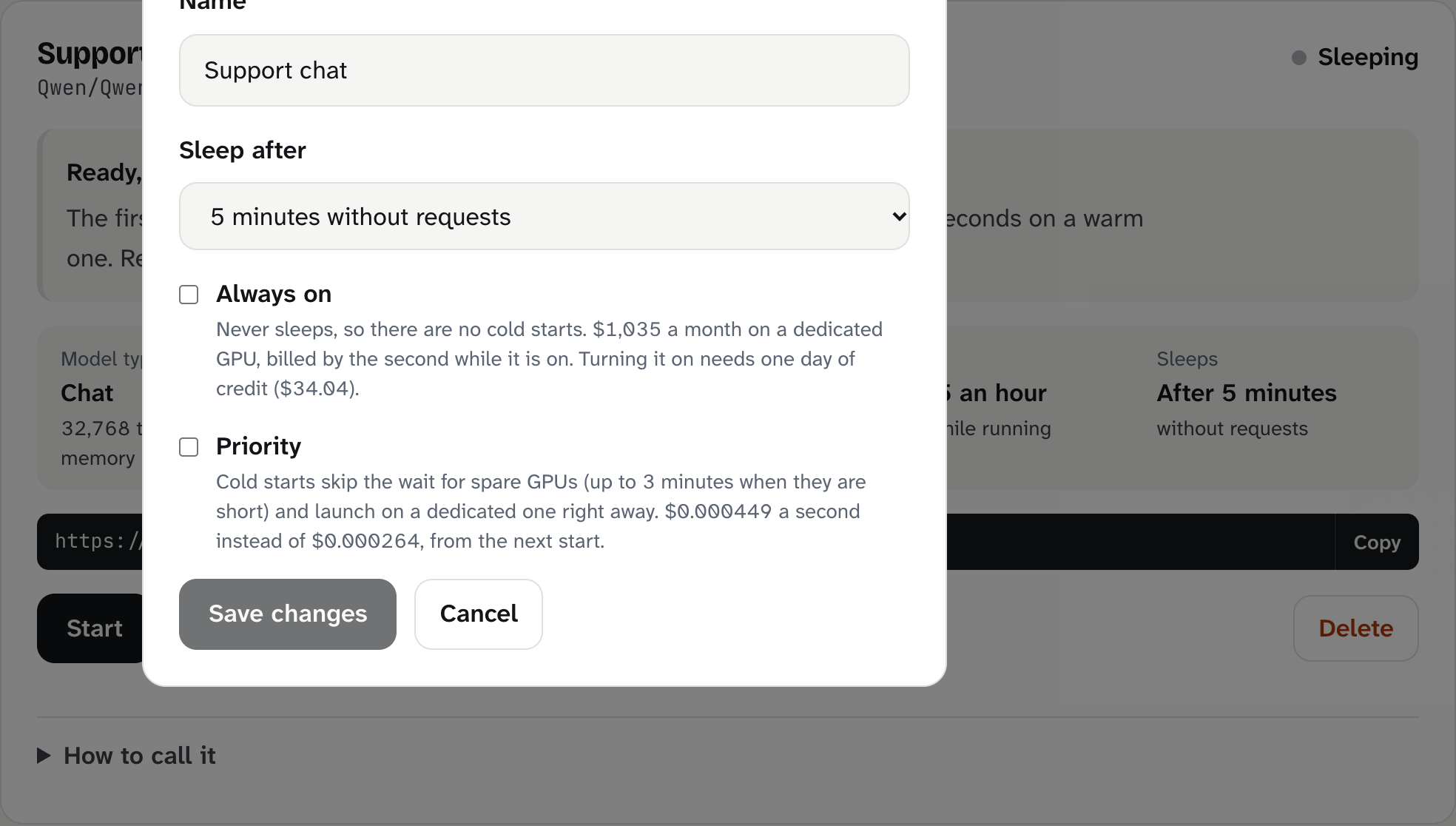
Sleep after
How long the endpoint stays awake after the last request before it goes to sleep. Choices: 1, 2 (default), 5, 10 or 30 minutes, or 1 hour. In the CLI any time from 60 seconds to 1 hour works.
The endpoint is billed while it waits, because the GPU stays on, ready to answer at once.
- Short (1 to 2 minutes): cheapest for occasional use. More requests hit a cold start.
- Long (10 minutes to 1 hour): better for bursty traffic or a person chatting with pauses. You pay for the quiet minutes.
The minimum is 60 seconds so a long streaming answer is never cut off midway.
bitsrun update "Support chat" --idle 10mAlways on
Keeps one copy of the model running all the time on a dedicated GPU, so there are no cold starts. It is billed by the second while it is on, at a monthly-priced rate:
| GPU | Always on, per month | Per second |
|---|---|---|
| NVIDIA L4 | $1,180 | $0.000449 |
| NVIDIA L40S | $3,974 | $0.001512 |
| 4x NVIDIA L4 | $6,843 | $0.002604 |
- Turning it on needs at least one day of credit for that GPU (for an L4, about $39).
- Saving starts the GPU now.
- If your credit runs out, always-on stops and we email you.
bitsrun update "Support chat" --always-on on
bitsrun update "Support chat" --always-on off
Priority
When GPUs are in short supply, a cold start can wait up to 3 minutes for a spare one. With Priority, a cold start skips that wait and launches on a dedicated GPU right away. It costs 1.7 times the normal rate while running, from the next start:
| GPU | Normal, per second | Priority, per second | Priority, per hour |
|---|---|---|---|
| NVIDIA L4 | $0.000264 | $0.000449 | $1.62 |
| NVIDIA L40S | $0.000889 | $0.001512 | $5.44 |
Priority is not offered on 4x L4 yet. On the Business plan, cold starts go first in the launch queue at the normal rate.
bitsrun update "Support chat" --priority onWhich should I use?
| Situation | Setting |
|---|---|
| Testing, internal tools, overnight jobs | Default: sleep after 2 minutes |
| A person chatting, with pauses | Sleep after 10 to 30 minutes |
| A demo or a launch where every second counts | Priority, plus Start before you begin |
| Production traffic all day, every day | Always on |
Keep it awake while you work
The bitsrun coding agent keeps its BitsRun endpoint awake while you use it, and lets it sleep when you stop. The mobile apps' playground will do the same once the apps are out.
Still stuck?
Email support@bitsrun.com with what you tried and any request id you saw. A real person answers.