Paired devices
Each phone or browser pairs with your computer the first time it opens a session, and you can remove any device from the app, the dashboard or the terminal.
Pairing means your computer and a device exchange keys once, so later sessions can be encrypted between them without any setup. A device can only pair if it is signed in to your BitsRun account.
How pairing works
- A phone or browser signed in to your account opens one of your live sessions.
- Your computer checks that the device belongs to your account and pairs with it. The terminal names every device that joins, for example "Pixel joined from your BitsRun account."
- From then on the device joins your sessions on that computer without asking.
We email you when a new device pairs and when a new device, app or command line signs in, so you notice anything you did not do.
Ask before each new device
If you want the terminal to ask before a device joins for the first time, add this to your bitsrun settings.json:
{ "remotePairing": "ask" }The terminal then shows "Pair this device with this computer? It will see this session, send prompts and approve changes." Choose Yes, pair it, or No if you did not just open the session on that device.
See and remove devices
On the web, open API keys in the dashboard. The Remote control section lists the computers that ran /remote and the phones and browsers that can follow them, with when each was added and last used.
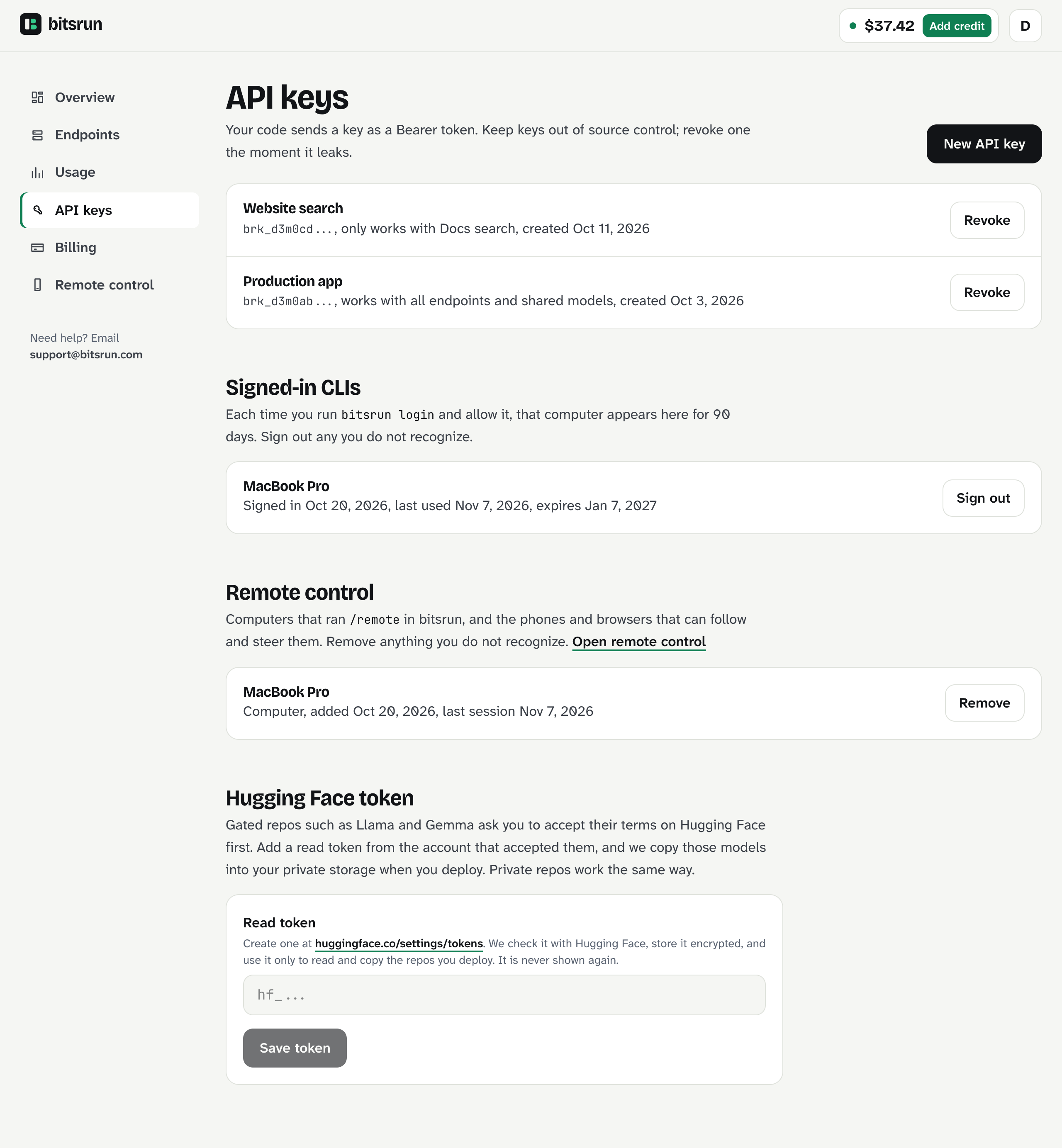
Click Remove next to anything you do not recognize. In the app, open Account, then Devices and sign-ins.
Removing a device ends its sessions at once. It can pair again only after you approve it on your computer. A removed device can never read new sessions.
Related
- Sessions and devices for signed-in command lines and apps
- Remote control
Still stuck?
Email support@bitsrun.com with what you tried and any request id you saw. A real person answers.