Model sizer and GPU sizes
Check model reads a model's size and picks the cheapest GPU that fits it with room for a real conversation, before you pay anything.
Before you create an endpoint, BitsRun reads the model's files and works out how much GPU memory it needs. It then suggests the cheapest GPU that fits.
Check a model
In the dashboard: on Endpoints, select New endpoint, type the model and select Check model.
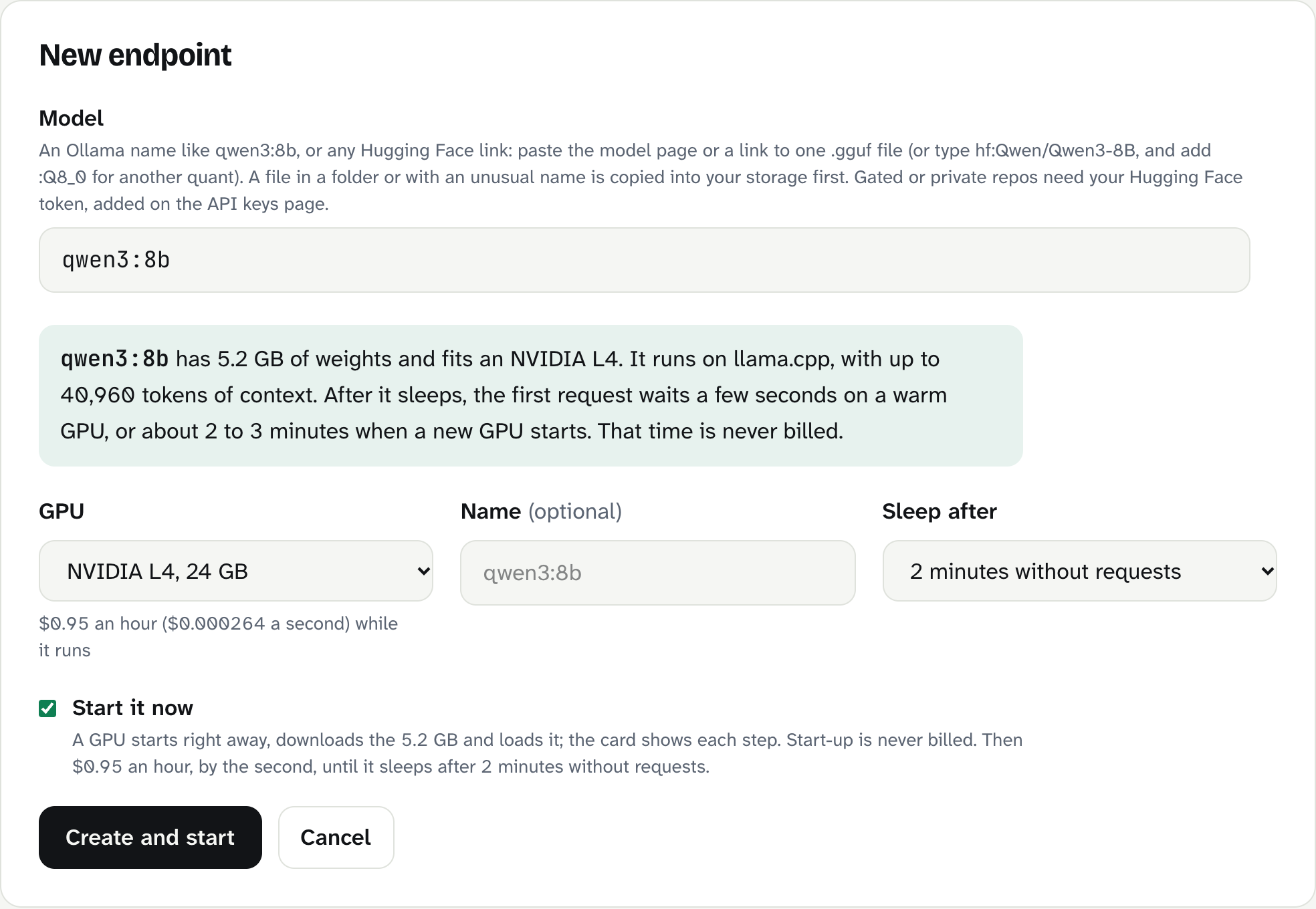
In the terminal:
bitsrun size qwen3:8b
bitsrun size hf:Qwen/Qwen3-8B --gpu l40s
The answer tells you:
- Size: how many GB of weights the model has.
- GPU: the smallest size that fits.
- Runtime: llama.cpp, vLLM or Text Embeddings Inference.
- Context: how many tokens the endpoint can read at once on that GPU.
- Tool calling: whether the endpoint can call functions (agents need this).
- Copy size: for gated or private repos, how much will be copied into your storage.
GPU sizes
| GPU | Memory | Fits (typical) | Per second | Per hour |
|---|---|---|---|---|
| NVIDIA L4 | 24 GB | 7B to 14B quantized LLMs, any embedding model | $0.000264 | $0.95 |
| NVIDIA L40S | 48 GB | 14B to 32B quantized, 8B to 14B full precision | $0.000889 | $3.20 |
| 4x NVIDIA L4 | 96 GB | Full-precision 27B to 32B, 70B at 4-bit | $0.002367 | $8.52 |
You can pick a bigger GPU than suggested, for a longer context or faster answers. You cannot pick one that is too small: the form says "This model needs more GPU memory than the size you chose."
How the fit is worked out
A model needs memory for two things: its weights (the model itself) and its KV cache, the working memory that holds the conversation it is reading. The longer the context, the bigger the cache.
- llama.cpp (GGUF): the weights plus about 20% and a working buffer.
- vLLM (safetensors): the weights, a fixed overhead and enough cache for at least 8,192 tokens.
- Text Embeddings Inference: small; every embedding model fits an L4.
Context is capped at 65,536 tokens so that even the slowest long request finishes in time. You can lower or raise it within what the GPU allows under Performance.
Tool calling
Tool calling lets a model ask your code to run a function (search, look up an order, edit a file) and then use the result. Agents and coding tools need it.
- vLLM: turned on for model families with a reliable tool format: Qwen 2 and later, Llama 3 and later, Mistral, Granite and DeepSeek V3. Others serve chat without tools.
- llama.cpp (GGUF): decided from the model's own chat template.
The sizer and the endpoint card show whether tools work. See Tool calling.
What can go wrong
| Message | What to do |
|---|---|
| "This model is larger than the biggest GPU size we offer today." | Choose a quantized version, for example a GGUF repo with :Q4_K_M. |
| "This model needs more GPU memory than the size you chose." | Pick a larger GPU or leave GPU on the suggestion. |
| "Choose a GPU size we offer (l4, l40s or 4xl4)" | In the CLI, use one of those three names. |
Still stuck?
Email support@bitsrun.com with what you tried and any request id you saw. A real person answers.