Deploy your first model
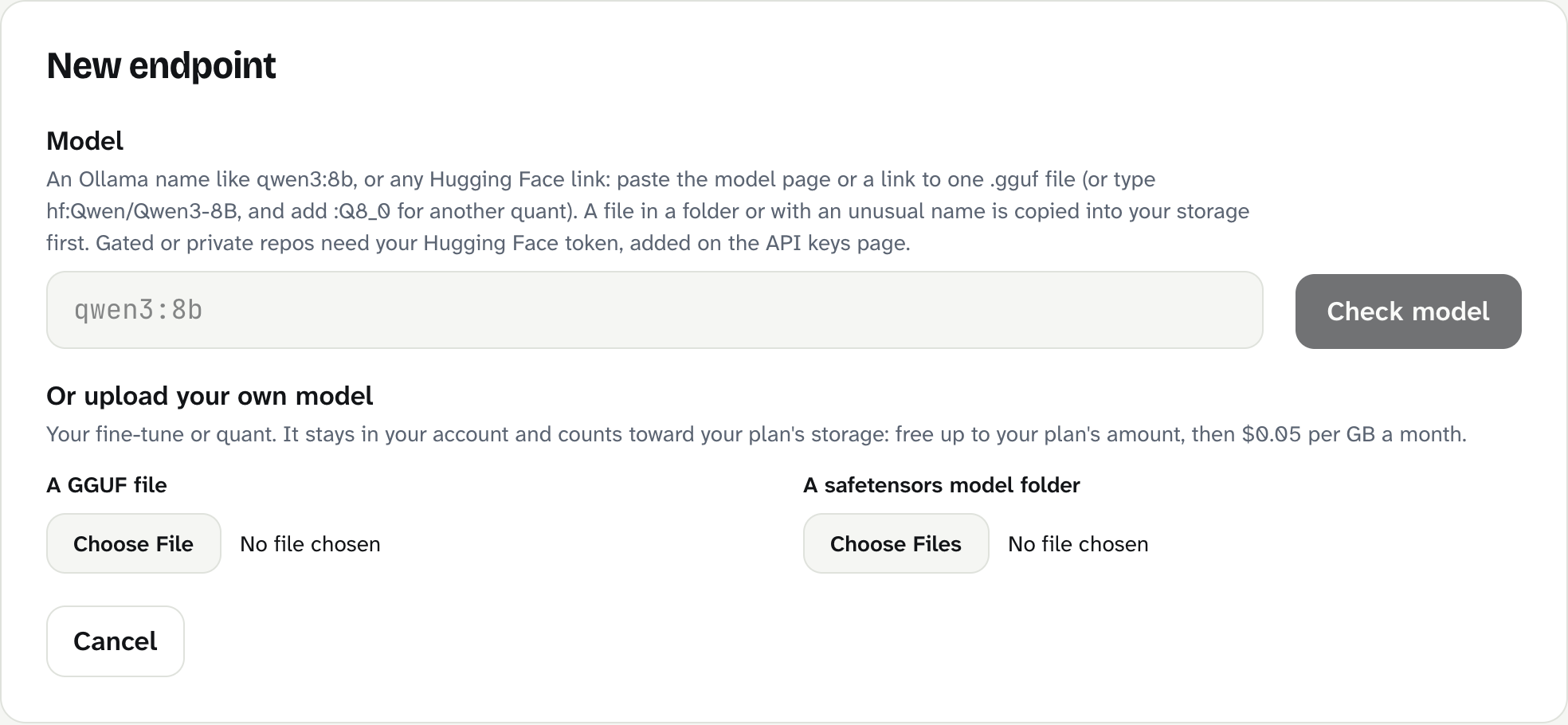
On the Endpoints page, select New endpoint, type a model name such as qwen3:8b, select Check model, then Create and start.
An endpoint is your private address for one model. Creating one takes a minute; the first start takes a few more while a GPU boots and loads the model (never billed).
In the dashboard
- Select Endpoints, then New endpoint.
- In Model, type
qwen3:8b. Any Ollama name or Hugging Face repo works. - Select Check model. BitsRun reads the model's size and shows what it needs.
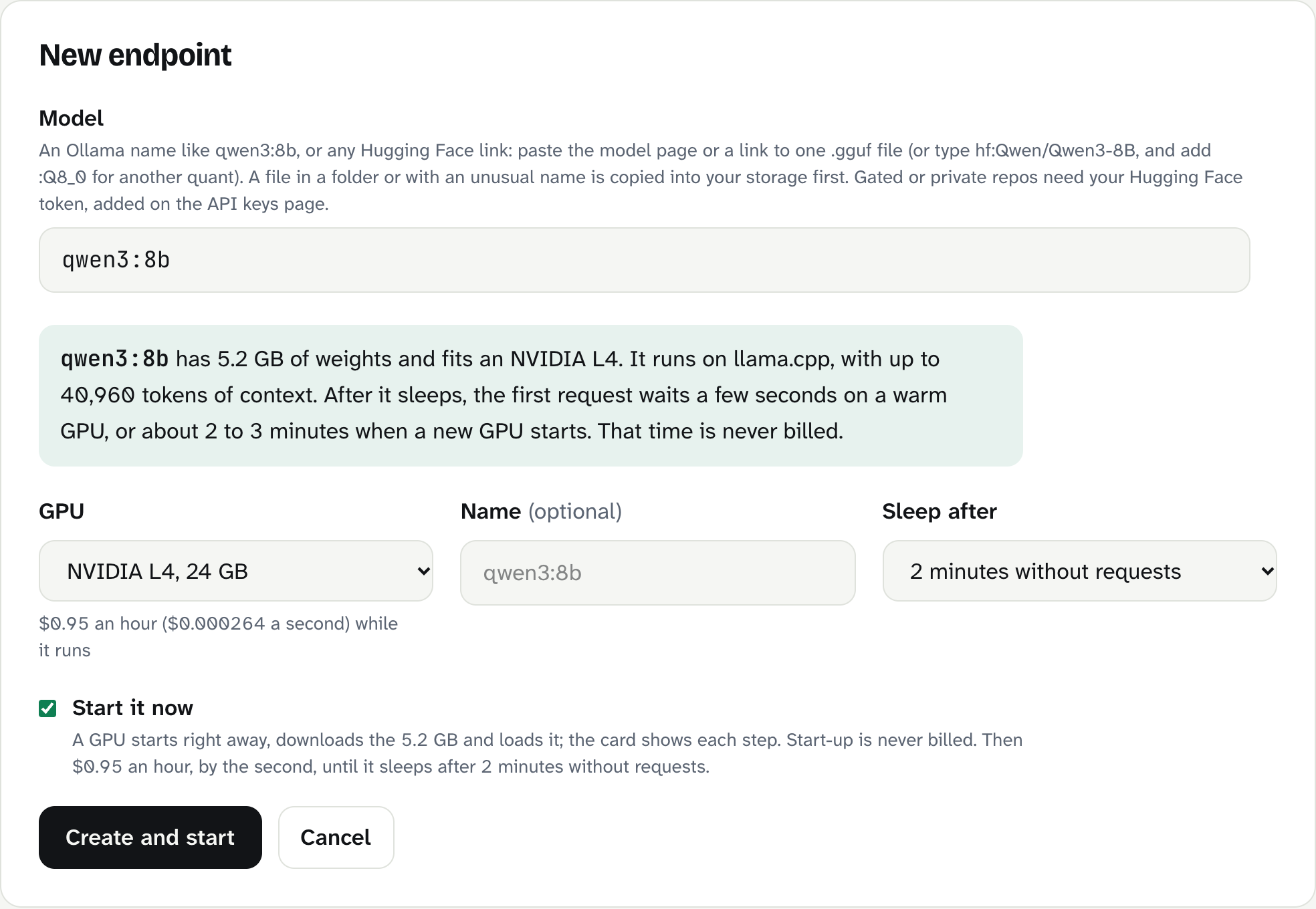
- Read the green box. For
qwen3:8bit says the model has 5.2 GB of weights, fits an NVIDIA L4, runs on llama.cpp and remembers up to 40,960 tokens. - Leave GPU on the suggested size. BitsRun picks the cheapest GPU that fits.
- Optional: give it a Name, such as "Support chat".
- Optional: change Sleep after. The default is 2 minutes without requests.
- Keep Start it now ticked if you want to use it right away, then select Create and start.
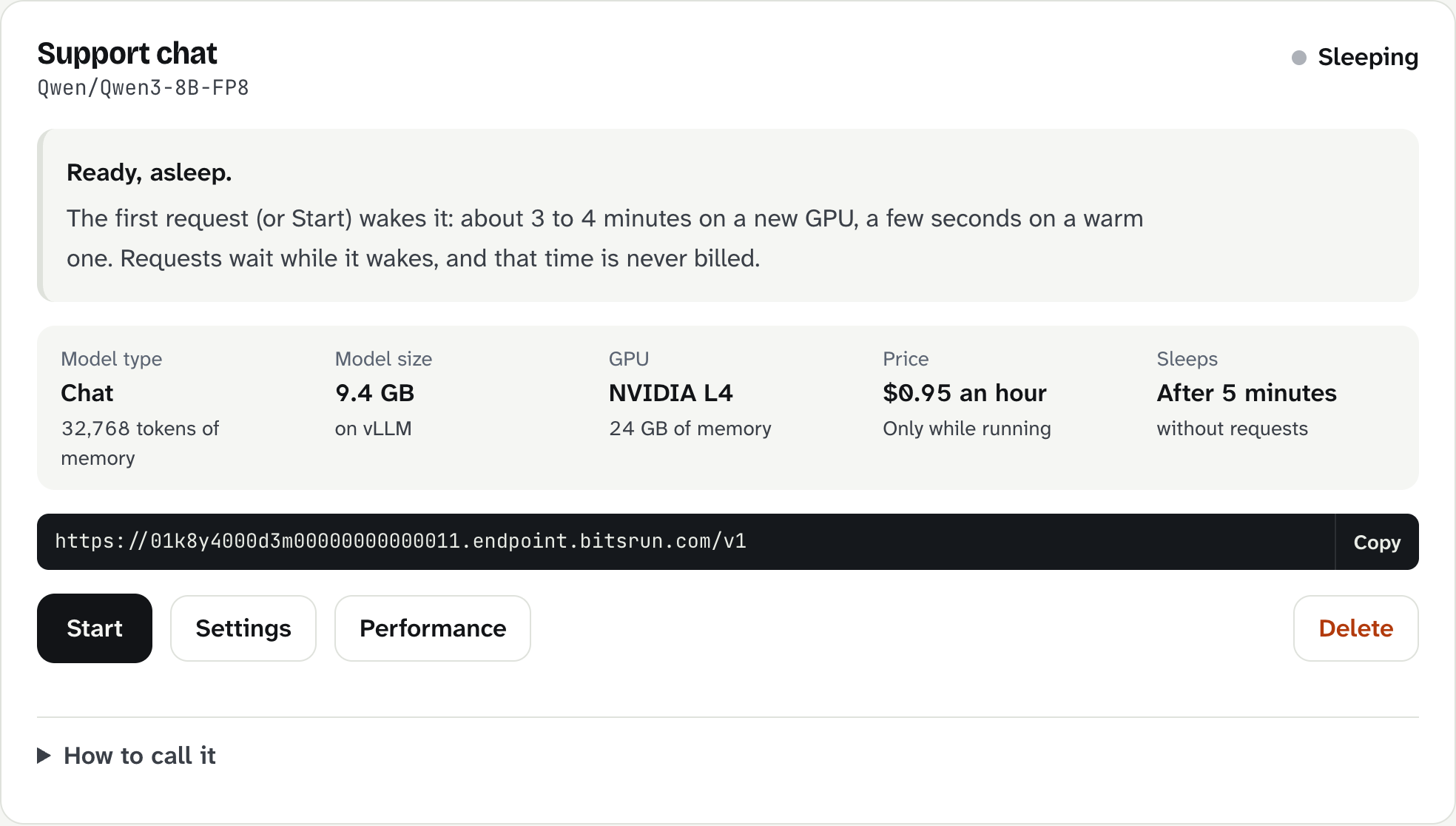
The new card shows each start step: getting a GPU machine ready, downloading the model, loading it into GPU memory, then Running: answering requests now.
From the terminal
curl -fsSL https://get.bitsrun.com | sh
bitsrun login
bitsrun deploy qwen3:8b --name "Support chat" --key
On macOS and Linux the installer puts bitsrun in ~/.local/bin. If that folder is not on your PATH yet, it prints the one line to add it. Run that line and open a new terminal before bitsrun login.
--key also creates an API key that only works with this endpoint and prints it once. See Command line.
Words in the form
- Context (memory length): how much text the model can read at once, counted in tokens. A token is about three quarters of an English word.
- llama.cpp, vLLM, Text Embeddings Inference: the programs (runtimes) that run the model on the GPU. BitsRun picks one from the model's format.
- Sleep after: how long the endpoint stays awake after the last request. It is billed while awake, so short is cheaper; long avoids waiting for a wake.
What can go wrong
| Message | What to do |
|---|---|
| "We could not find that model." | Check the spelling and tag, for example qwen3:8b not qwen3-8b. For Hugging Face, check the owner and repo name. |
| "This model is larger than the biggest GPU size we offer today." | Pick a smaller model or a more compressed version. See Quantization. |
| "Your plan allows no more endpoints." | Delete one you no longer use, or move to a bigger plan. Pay-as-you-go allows 2 endpoints. |
| "Created, but not started: check your credit, then press Start." | Your balance is $0. Add credit, then select Start on the card. |
More reasons are in Models that cannot be deployed.
Next step
Still stuck?
Email support@bitsrun.com with what you tried and any request id you saw. A real person answers.