Call your endpoint
Send requests to your endpoint URL with an API key in the Authorization header, using curl, the OpenAI SDKs or any OpenAI-compatible tool.
On this page
Your endpoint speaks the OpenAI API. Any code or tool that can talk to OpenAI can talk to it: change the base URL to your endpoint and the key to a BitsRun API key.
1. Create an API key
- In the dashboard, open API keys and select New API key.
- Give it a name you will recognize, such as "Staging server".
- Under Works with, choose all endpoints or only this one.
- Copy the key. It is shown only once.
Store it as an environment variable, never in your code:
export BITSRUN_API_KEY="paste-your-key-here"More in API keys.
2. Copy your endpoint URL
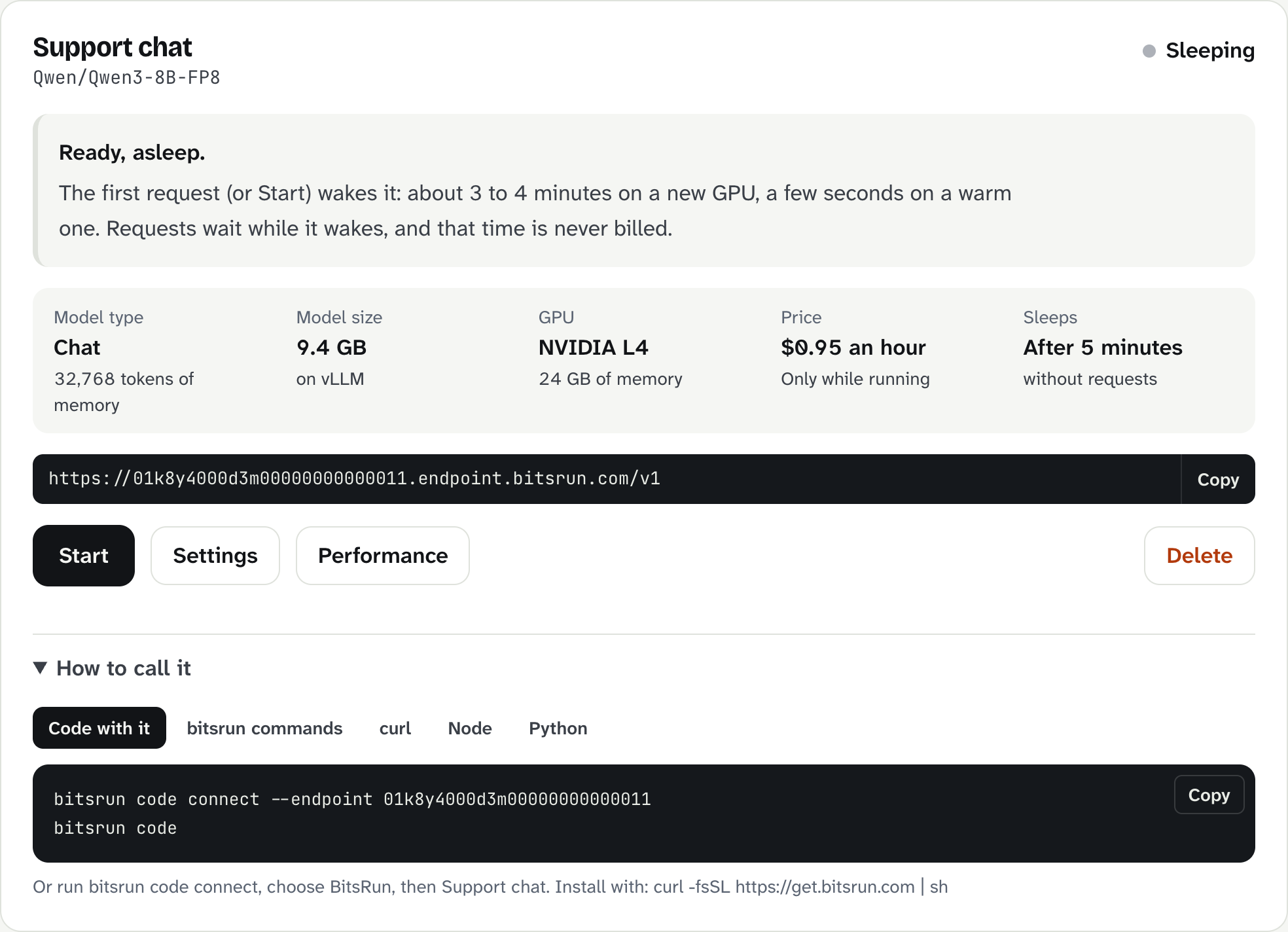
On the Endpoints page, select Copy on the dark bar of your endpoint card. It looks like this:
https://01k8y4000d3m00000000000011.endpoint.bitsrun.com/v1Each card also has How to call it, with ready-made examples for that endpoint.
3. Send a request
curl
curl https://01k8y4000d3m00000000000011.endpoint.bitsrun.com/v1/chat/completions \
  -H "Authorization: Bearer $BITSRUN_API_KEY" \
  -H "Content-Type: application/json" \
  -d '{"model": "qwen3:8b", "messages": [{"role": "user", "content": "Say hello in one sentence."}]}'
Python
pip install openaiimport os
from openai import OpenAI
client = OpenAI(
base_url="https://01k8y4000d3m00000000000011.endpoint.bitsrun.com/v1",
api_key=os.environ["BITSRUN_API_KEY"],
)
reply = client.chat.completions.create(
model="qwen3:8b",
messages=[{"role": "user", "content": "Say hello in one sentence."}],
)
print(reply.choices[0].message.content)JavaScript or TypeScript
npm install openaiimport OpenAI from "openai";
const client = new OpenAI({
baseURL: "https://01k8y4000d3m00000000000011.endpoint.bitsrun.com/v1",
apiKey: process.env.BITSRUN_API_KEY,
});
const reply = await client.chat.completions.create({
model: "qwen3:8b",
messages: [{ role: "user", content: "Say hello in one sentence." }],
});
console.log(reply.choices[0].message.content);Ollama clients
GGUF models (from an Ollama name or a .gguf file) also answer Ollama's own API on the same host without /v1. Pass your key as a header; the ollama command line app cannot, so use a library such as Ollama Python:
import os
from ollama import Client

client = Client(
    host="https://01k8y4000d3m00000000000011.endpoint.bitsrun.com",
    headers={"Authorization": f"Bearer {os.environ['BITSRUN_API_KEY']}"},
)
reply = client.chat(model="qwen3:8b", messages=[{"role": "user", "content": "Say hello in one sentence."}])
print(reply.message.content)
More in Chat and completions.
The first request after sleep
If the endpoint is asleep, your request wakes it and waits on the open connection for up to 8 minutes, then answers as soon as the model is ready. Streaming or not, you do not need to retry. To get a 503 with "code": "model_starting" and Retry-After: 30 instead, send the header X-BitsRun-Wait: 0. Details in Cold starts.
Next steps
- Chat completions in detail, embeddings and tool calling.
- Keep it from sleeping when you need instant answers.
Still stuck?
Email support@bitsrun.com with what you tried and any request id you saw. A real person answers.