Manage your endpoints
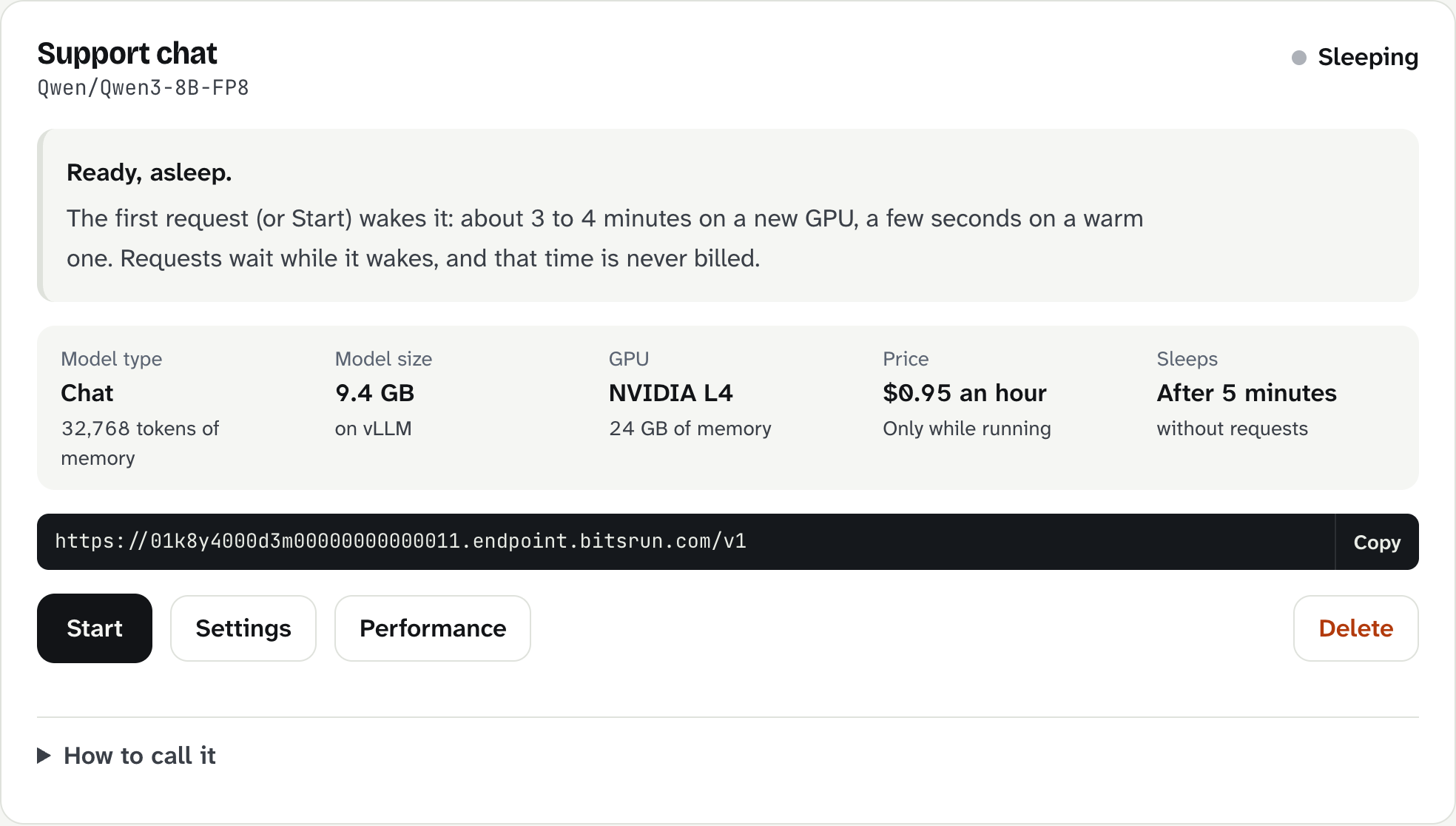
Each endpoint has a card on the Endpoints page that shows its state, price and URL, with buttons to start, stop, change settings, tune performance and delete it.
On this page
Open Endpoints in the dashboard. Every endpoint has a card.
What the card shows
- Name and model: the name you chose and the model it serves.
- Status: see the table below.
- Model type: Chat or Embeddings, and how many tokens of memory (context) it has.
- Model size and runtime: for example 9.4 GB on vLLM.
- GPU and price: for example NVIDIA L4, $0.95 an hour, only while running.
- Sleeps: how long it stays awake after the last request.
- URL: your endpoint address. Select Copy.
- How to call it: ready-made examples for this endpoint (bitsrun, curl, Node, Python).
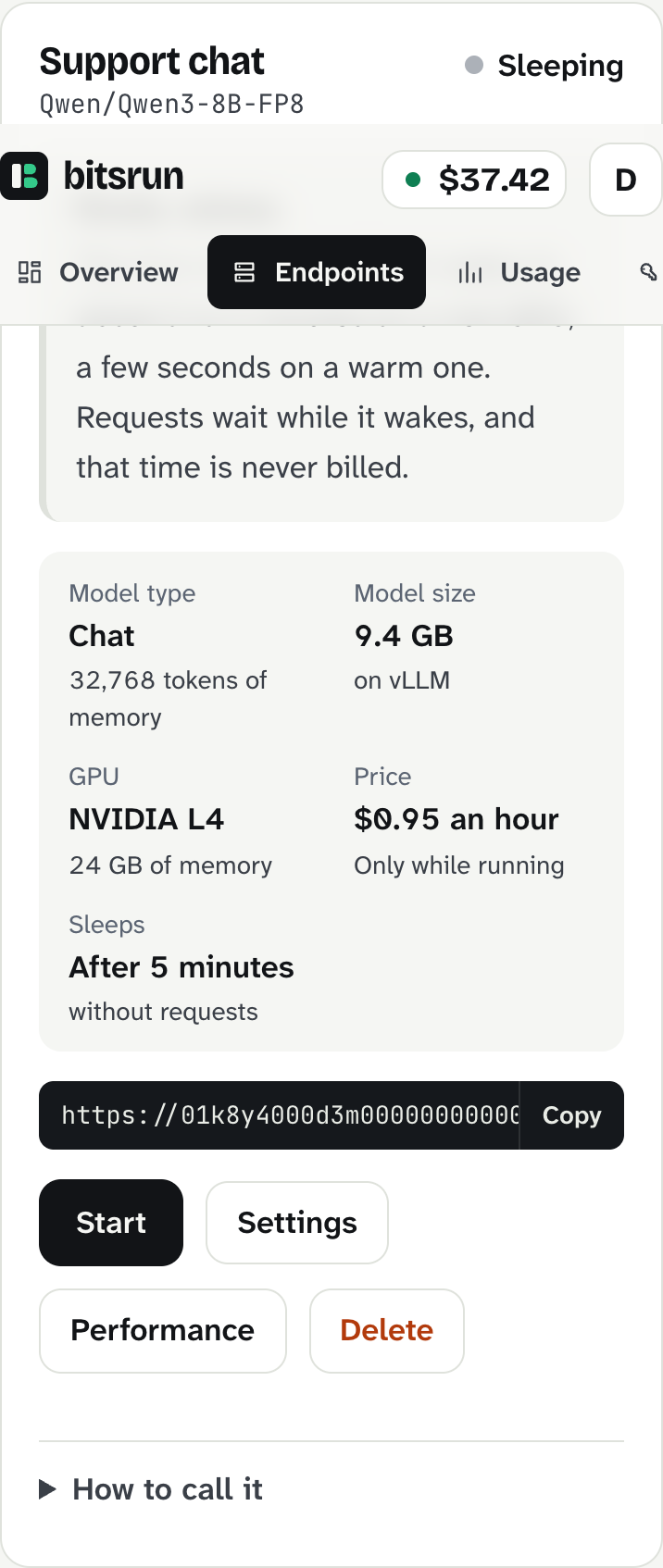
On a phone the details stack in two columns.
Status
| Status | What it means | Billed? |
|---|---|---|
| Sleeping ("Ready, asleep") | Ready to wake on the next request or Start. | No |
| Starting | Getting a GPU machine ready, downloading and loading the model. The card shows each step. | No |
| Waiting for a free GPU | Every machine of this size is busy. It keeps trying in every zone and region. | No |
| Running | Answering requests. | Yes, per second |
| Stopping | The GPU is shutting down; billing stops with it. | No |
| Copying the model | A gated, private or linked model is being copied into your storage. | No GPU time |
| Could not start | The model failed to load 3 times in a row, or no GPU was free for 30 minutes. | No |
Actions
- Start: wakes it now, so the first request does not wait. It sleeps again after its Sleep after time without requests.
- Stop: puts it to sleep now. Requests in progress are cut off and billing stops with the GPU. An always-on endpoint must have Always on turned off first.
- Settings: name, Sleep after, Always on and Priority. See Sleep, always-on and priority.
- Performance: speed, quality, GPU, memory length and requests at once. See Performance.
- Delete: removes the endpoint. Its URL stops working at once, and API keys limited to it stop working too. This cannot be undone.
- Try again: shown when a model copy failed or stalled. Parts already copied are not charged again.
From the terminal
bash
bitsrun ls
bitsrun status "Support chat"
bitsrun update "Support chat" --name "Help desk" --idle 5m
bitsrun retry "Support chat"
bitsrun rm "Support chat" --yes
You can use the endpoint's name or its id. Add --json to get machine-readable output.
How many endpoints you can have
| Plan | Endpoints |
|---|---|
| Pay-as-you-go | 2 |
| Pro | 10 |
| Business | 50 |
Endpoints still copying their model count too. See Plans.
What can go wrong
| Message | What to do |
|---|---|
| "Could not start: the model failed to load 3 times in a row." | Try another preset under Performance or a smaller quant. You were not billed for the failed starts. If it keeps failing, email support with the request id. |
| "Not running: no ... machines were free for 30 minutes." | Select Start again in a few minutes, or choose a different GPU size under Performance. |
| "This endpoint is always on, so it would start again right away." | Turn off Always on in Settings first, then stop it. |
| "This endpoint is still copying its model." | Wait for the copy to finish, then change it. |
View as MarkdownUpdated
Still stuck?
Email support@bitsrun.com with what you tried and any request id you saw. A real person answers.